
Collect marketing consent on the customer sign-in page
Shopify has introduced an update that allows merchants to collect marketing consent directly on the customer sign-in page.
This means customers can now opt in to marketing not only at checkout, but earlier in their journey — when logging into their account.
What’s new?
If you already have marketing consent enabled at checkout, the same checkbox will now automatically appear on the customer sign-in page.
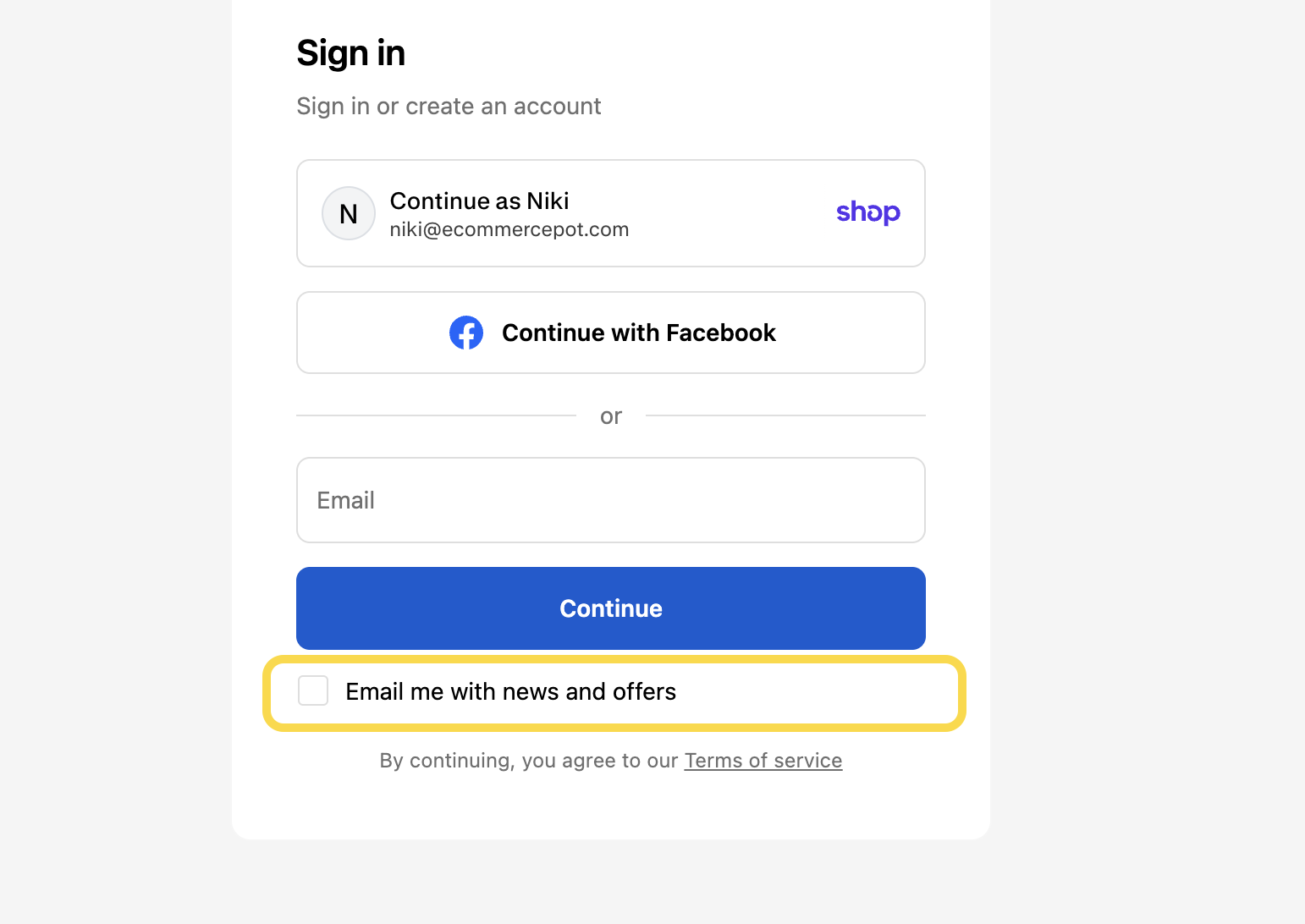
You can also control where the checkbox is displayed in your Shopify admin under Settings → Checkout → Marketing opt-in. Here, you can choose whether to show it on both checkout and the sign-in page, only on one of them, or hide it completely.
It follows the same setup:
- Uses your existing region-based settings
- Keeps the same preselected options
- Requires no additional configuration
- Content can be adjusted via theme default content (separate entries for checkout/sign-in and customer profile)
Customers can also update their preferences anytime in their account profile.
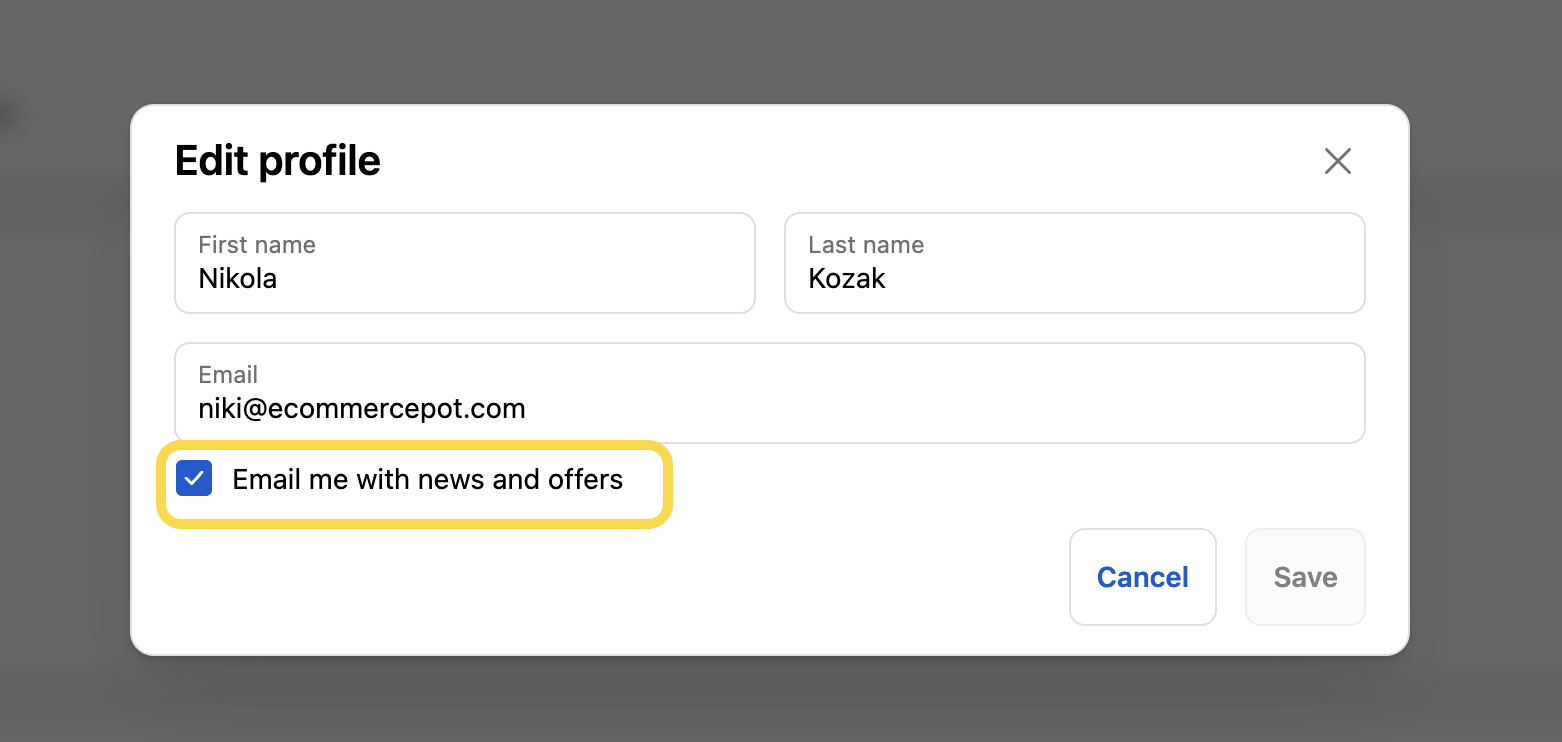
After logging in, they can access their profile by clicking on their avatar or monogram (or a profile link in the navigation, if available). From there, clicking the edit icon next to their name opens a modal window where they can update their personal details — including their marketing preferences. See the screenshot below:
Why this matters
This is a small change, but it can have a meaningful impact. By showing the consent checkbox earlier in the journey, you can:
- Capture more marketing opt-ins
- Reach returning customers who don’t go through checkout
- Build a higher-quality subscriber list
To sum up, if you’re already collecting consent at checkout, you’re getting this improvement automatically. If not, it’s a quick win worth enabling.
And that’s it! If you stumble upon any issues, let us know — we’re happy to help.