
Update product, collection, and more data directly from the Shopify theme editor
With the latest Shopify Editions (learn more about the Winter 2026 Edition here), Shopify introduced a powerful feature that streamlines how you manage store data while editing your storefront in the theme editor.
You can now access product and collection admin pages, metafields, and other store data directly from the theme editor—without leaving your current workflow.
Edit store data directly from the theme editor
When editing your storefront in the theme editor, you might, for example, be working on a featured collection section on the homepage and decide to update the collection description displayed in that section.
Previously, this required opening the Shopify admin in a new tab, navigating to Products → Collections, locating the collection, and then making your changes there.
Now, you can simply click the collection in the collection selector within the section settings and select Edit.
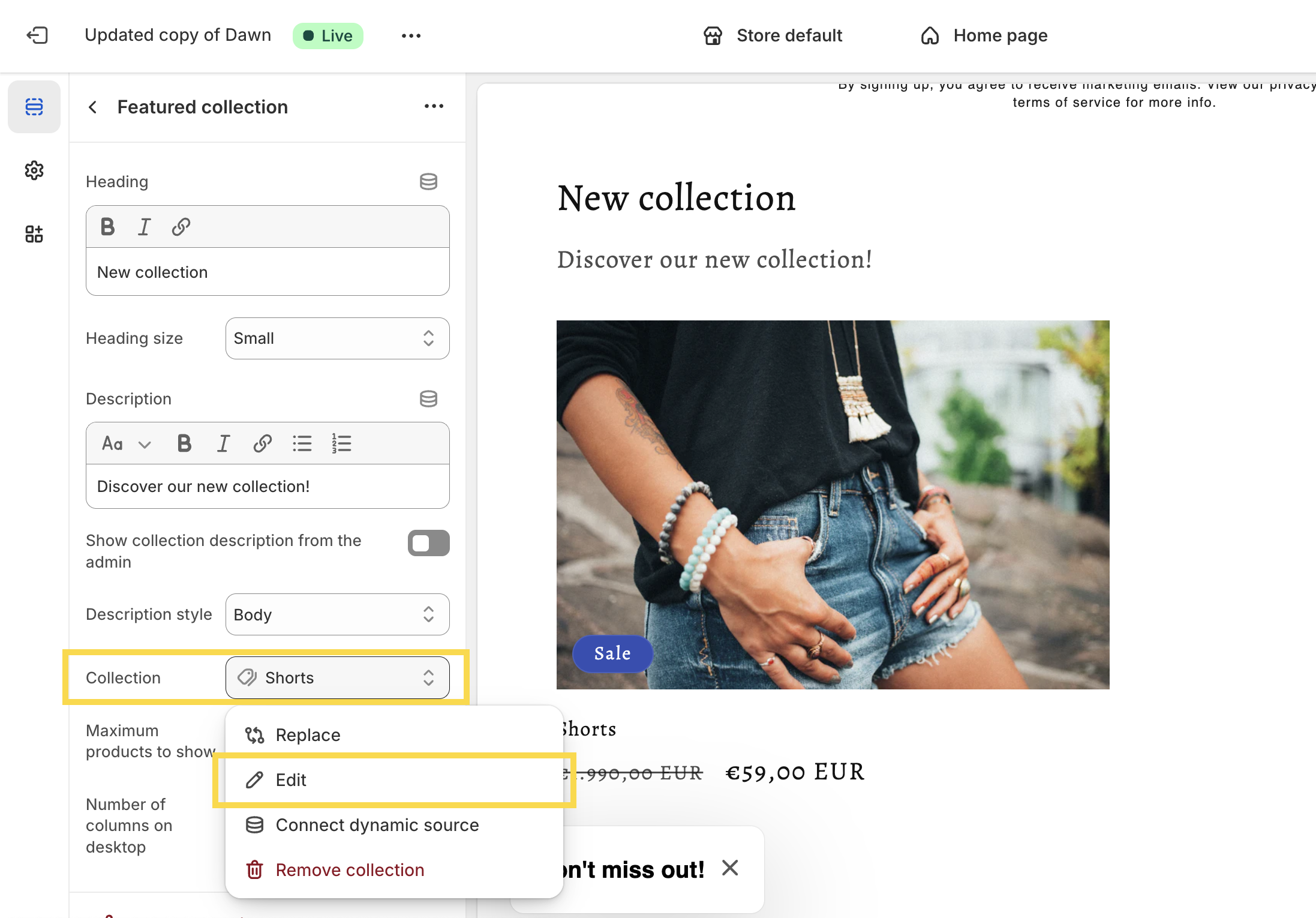
This opens a modal window with the collection admin, allowing you to update the collection description, featured image, template, metafields, and other settings—without leaving the theme editor.
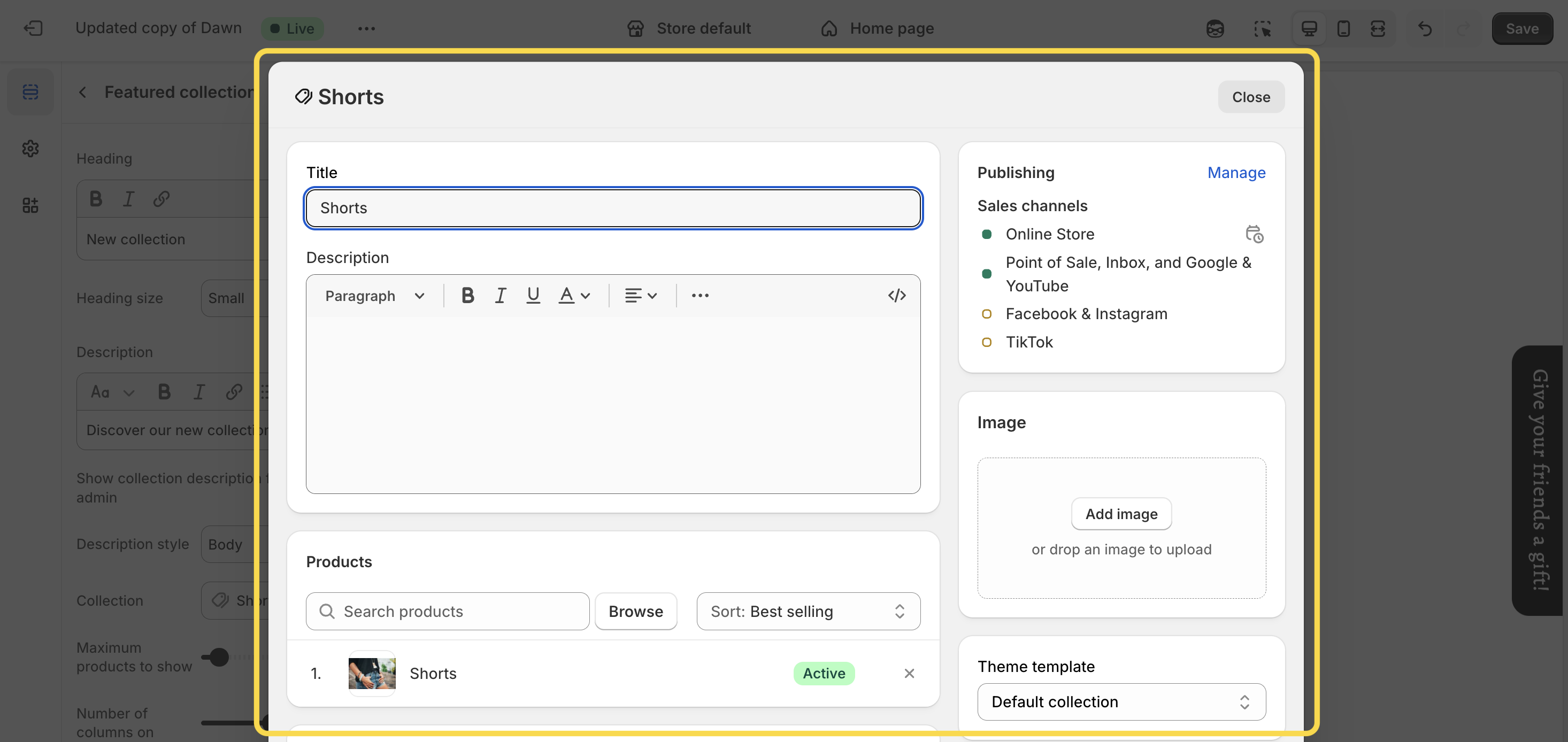
The same workflow applies to products. For example, when editing a featured product section or product-related metafields on a product page, clicking Edit in the relevant section or block settings opens a modal window (or a new tab when editing metafields) where you can update the product details directly.
And that’s it! While this may seem like a small update, it can save a significant amount of time—particularly when you’re iterating on your storefront design and need to fine-tune products, collections, or metafield data in parallel with visual changes in the theme editor.