
Shopify now supports gift cards in customers’ local currencies
Shopify has rolled out a major improvement for merchants selling internationally: gift cards can now be sold and issued in local currencies, not just the store’s primary currency.
This update removes one of the long-standing limitations of Shopify Markets and makes international gift card sales significantly more practical for global merchants.
Why is this important?
Previously, Shopify gift cards were tied to the store’s base currency. That meant if your store operated in EUR (for example, a Germany-based store) and a customer in the Czech Republic purchased a €10 gift card, the final value in CZK at redemption could vary depending on exchange rates.
For example, a customer might buy the gift card when the exchange rate is 1 EUR = 24.50 CZK, meaning the €10 gift card appears as roughly 245 CZK. But if the customer redeems it later when the exchange rate changes to 1 EUR = 26 CZK, the same gift card would now be worth around 260 CZK at checkout.
This created inconsistent customer experiences and made gift card values less predictable across international markets.
One workaround was to use fixed exchange rates instead of dynamic conversion. While this helped keep gift card values stable during redemption, it also introduced risk for merchants, since fixed rates could become outdated and lead to losses when real market exchange rates moved significantly.
Alternatively, merchants had to continuously monitor exchange rates and manually adjust their fixed conversion rates to avoid pricing discrepancies — adding operational overhead and making international gift card management unnecessarily complex.
What has changed?
Now, Shopify merchants selling across multiple markets can create gift cards directly in local currencies such as EUR, CAD, GBP, CZK, and others.
For example, a US-based store can now issue a €50 EUR gift card for European customers. The gift card balance stays in EUR from purchase to redemption, and customers see stable pricing without unexpected currency conversion changes.
How to set up gift cards in local currencies
Shopify now gives merchants two options when creating local currency gift cards: they can either make the gift card redeemable only in its issued currency or allow it to be redeemed in any store currency.
Both options are available whether you are issuing a one-time gift card directly to a customer or creating a gift card product that customers can purchase directly on your storefront.
1. Redeemable only in its issued currency
This keeps the experience fully localized and predictable.
With this option, for example, a €50 gift card always remains worth €50, and customers must complete their checkout in the issued currency (EUR, in our example). Because no currency conversion takes place during redemption, merchants avoid exchange-rate fluctuations entirely, making this the safest and most predictable setup for international gift cards.
2. Redeemable in any store currency
Merchants can also set up gift cards to work across all markets (currencies). In this setup a EUR gift card can be redeemed in USD, GBP, CAD, and other currencies. Shopify converts the balance using the current exchange rate at checkout (either Shopify’s dynamic conversion rate or a manually configured fixed exchange rate). The final redeemed value may vary depending on the current exchange rate.
One important limitation: The redemption setting is selected when the gift card is created and cannot be changed later.
How to set up local currency gift cards
Gift cards in local currencies work both for gift card products sold on the storefront and for manually issued gift cards sent to specific customers (for example, as compensation for a bad customer experience or order issue — although in many cases this can also be handled through store credits).
How to issue a gift card for a customer in a local currency?
- In your Shopify admin, go to Products → Gift cards.
- Click the button Create gift card button in the upper-right corner.
- A new window will appear where you can configure the gift card details, including: gift card code, currency, redemption in, initial value, expiry date and a customer you would like to issue the gift card to (optional).
-
From the Currency dropdown, select the currency you want the gift card to be issued in.
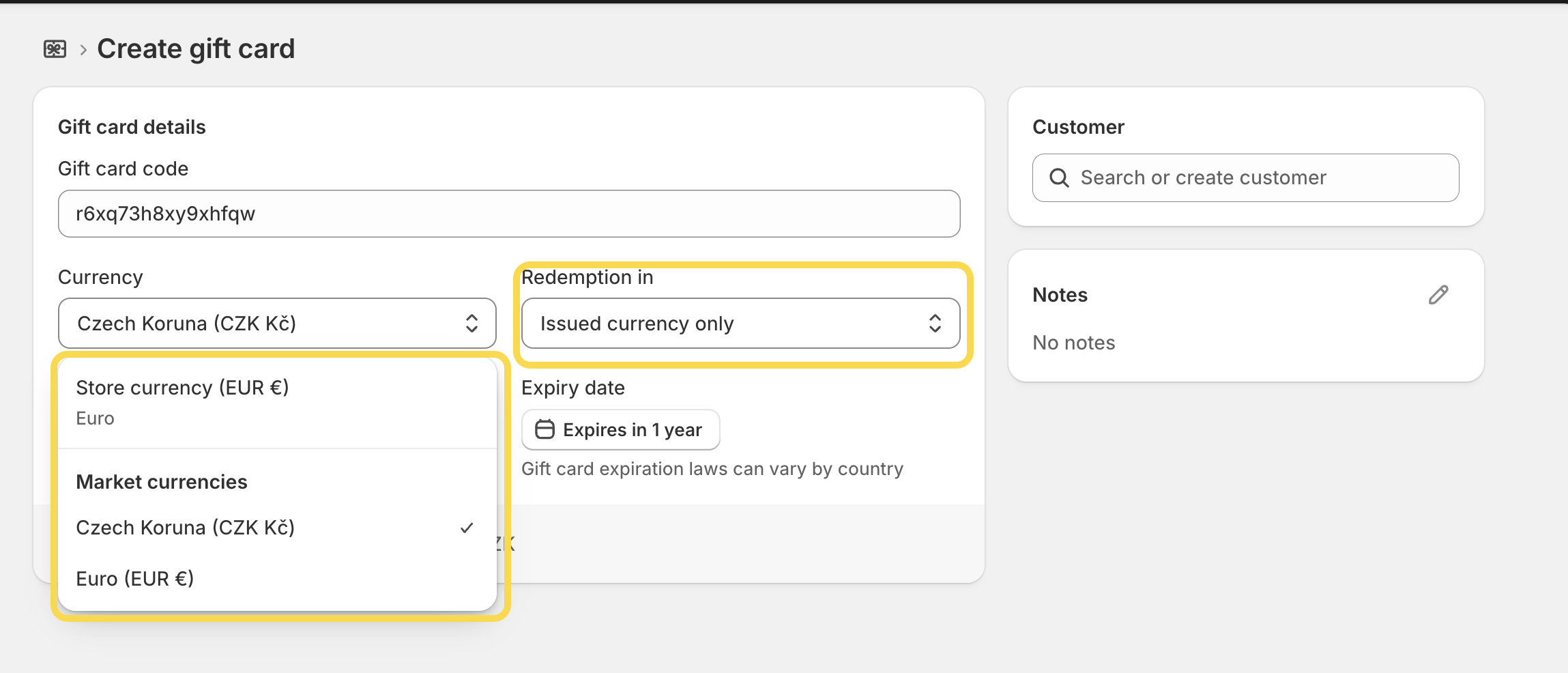
- In the Redemption in dropdown, choose whether the gift card should be redeemable only in its issued currency or across all store currencies.
- Don’t forget to set the expiry date, optionally assign the gift card to a customer, and add an internal note if needed.
- Once everything is configured, click Save to create the gift card.
How to create a gift card product in a local currency?
- In your Shopify admin, go to Products → Gift cards.
- Click the button Add gift card product button in the upper-right corner.
- Fill in all the product information for the gift card, such as the title, description, images, and other details — just as you would for any standard product.
- In the section Currency, decide whether you want to sell the gift card in a specific local currency or make it redeemable across all currencies. If you choose a local currency and don’t see the option to select another currency, make sure that:
- the market you want to sell in has the correct currency assigned,
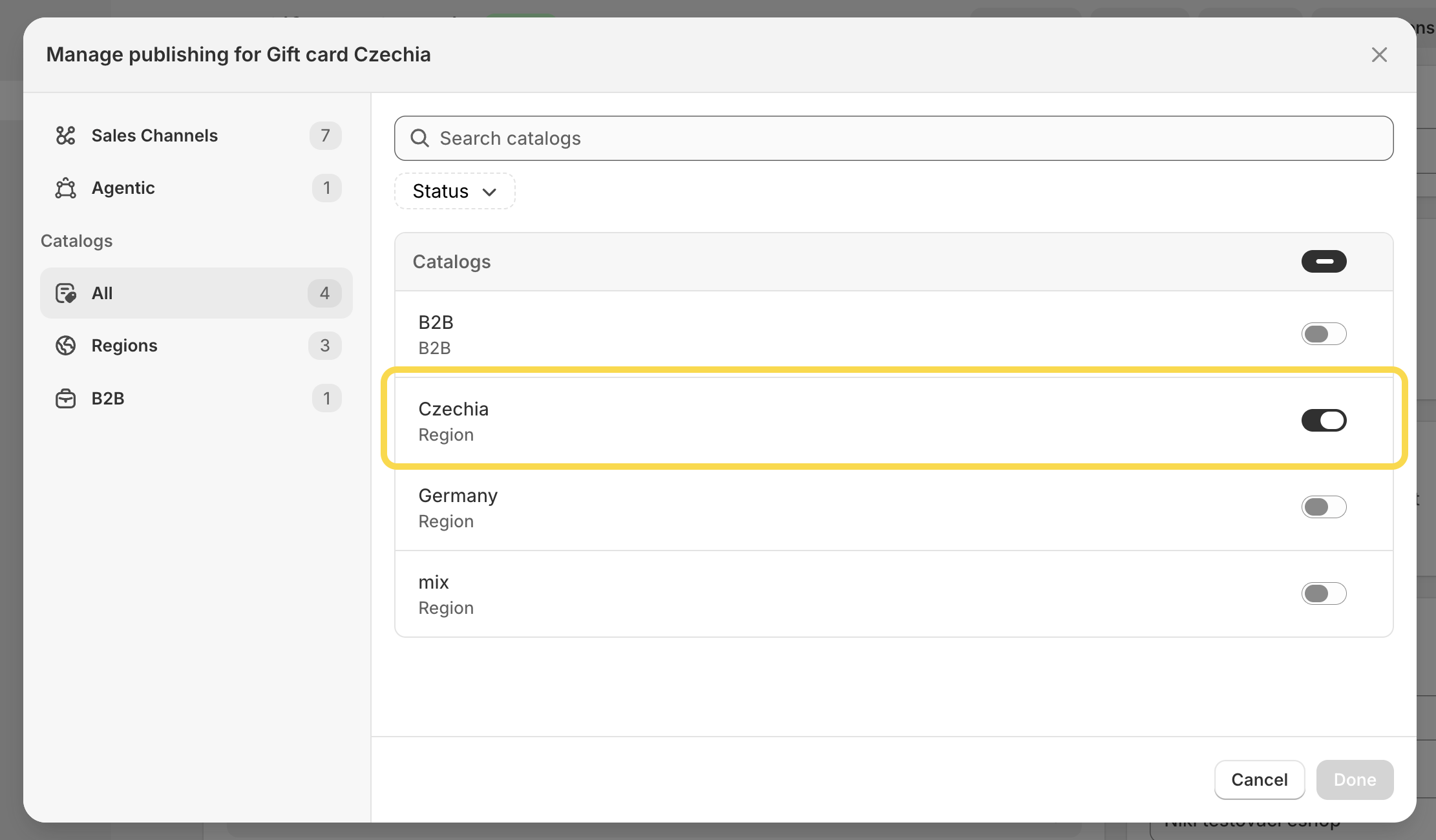
- and a catalog using the same currency is connected to that market.
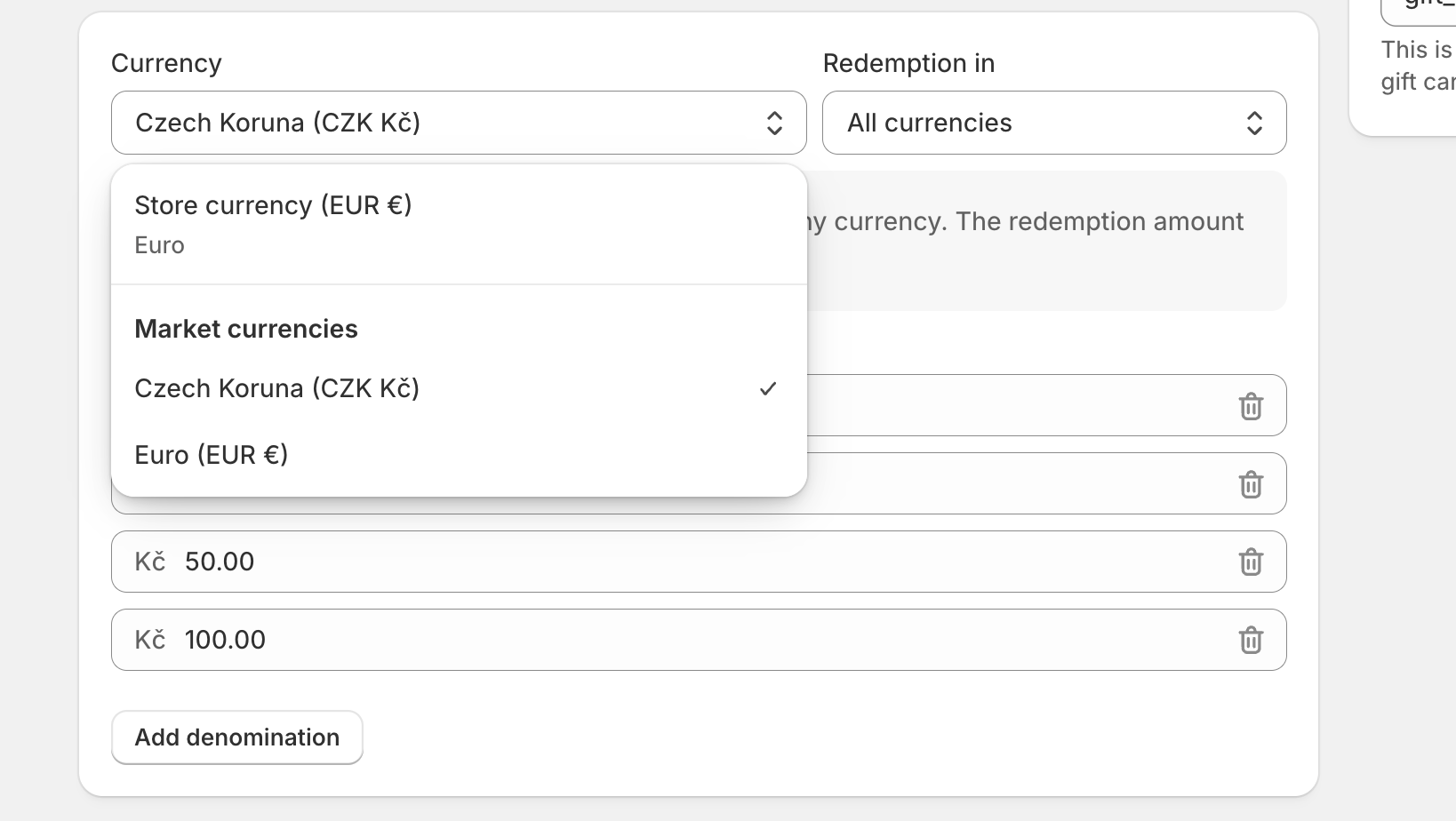
- From the dropdown menu, select the currency for the gift card. In the second dropdown, choose whether the gift card should be redeemable only in that local currency or across all store currencies.
-
Add the gift card denominations. Then, in the Publishing section, make sure to select the market and catalog where you want the gift card product to be available (required if the gift card is sold only in local currencies).
- Save your changes.
-
Once saved, you will see in the Products dashboard that the gift card is issued in a currency different from your store’s default currency.

Wrapping things up
And that’s it! For merchants operating across multiple markets, this update removes a long-standing pain point around gift card currency conversion and creates a more predictable experience for both merchants and customers.
If you run into any issues while setting up local currency gift cards on Shopify, let us know — we’ll be happy to help.