
Shopify updates discounts: Market-level discounts and discount tags
Shopify has introduced two new discount-related features — and one of them is a major improvement for international stores.
Merchants can now assign discounts to specific markets, making it possible to control exactly where promotions apply. Shopify also added discount tags, helping stores organize and filter discounts more efficiently.
Assign discounts to specific markets
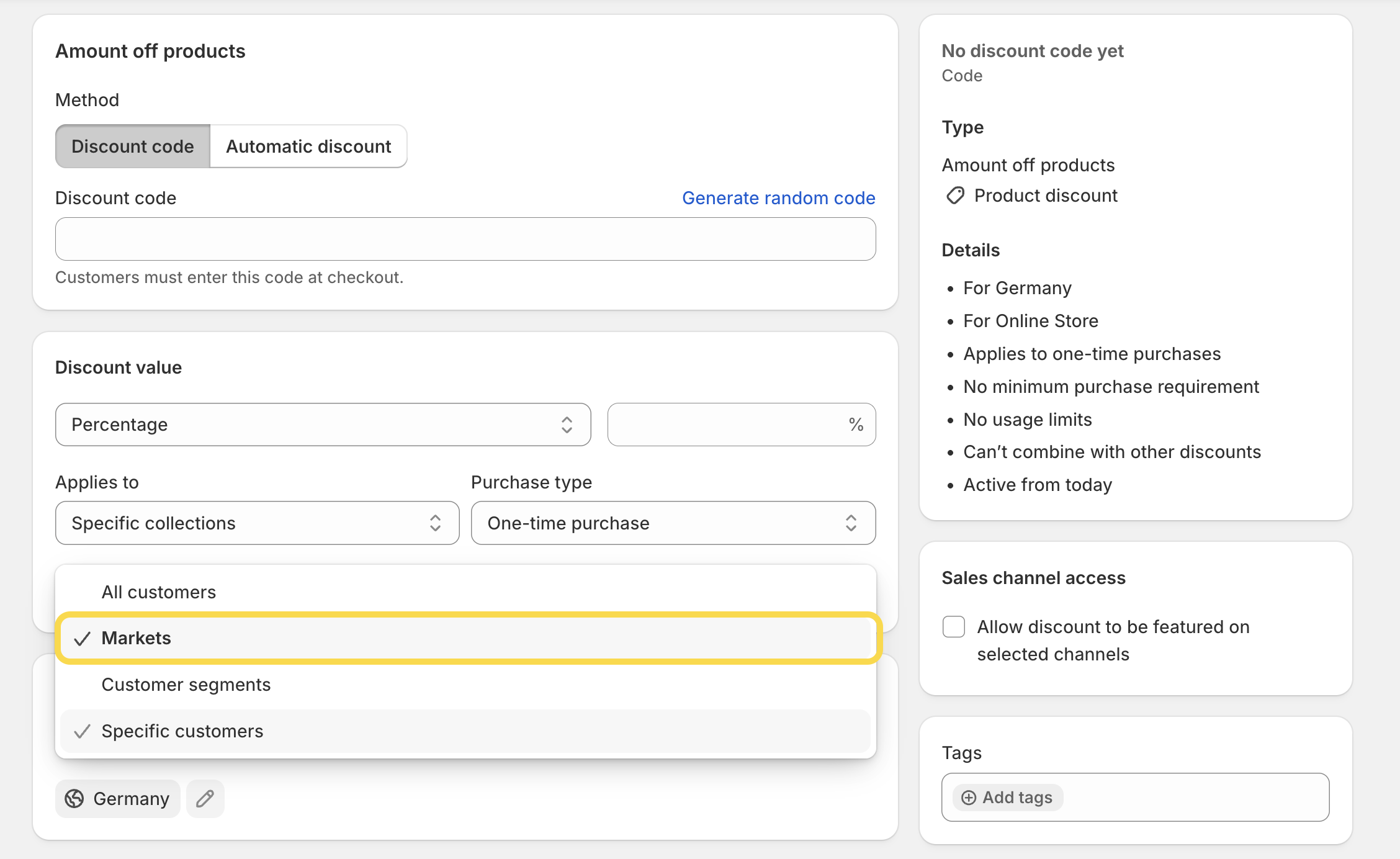
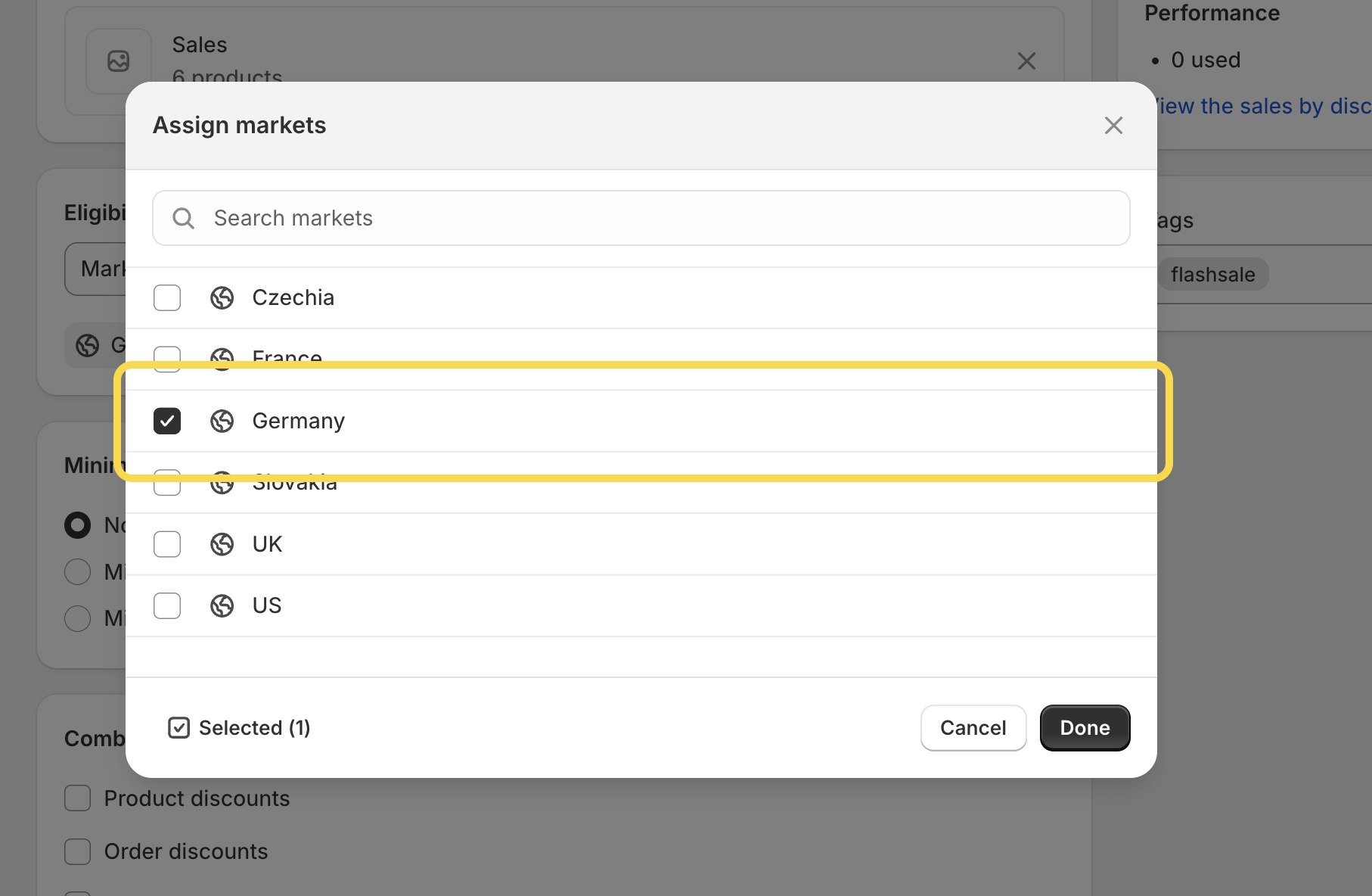
Until now, managing discounts across multiple markets often required third-party apps or custom workarounds. With the new update, discounts can now be assigned directly to specific markets inside Shopify.
For example, you can now:
- Run promotions only in selected countries or regions
- Create offers exclusively for B2B customers
- Launch online-only sales without affecting retail locations
- Create market-specific campaigns for international stores
The new feature is available directly on the Discount Details page under Eligibility section and supports both:
- Automatic discounts
- Discount codes
Add tags to your discounts
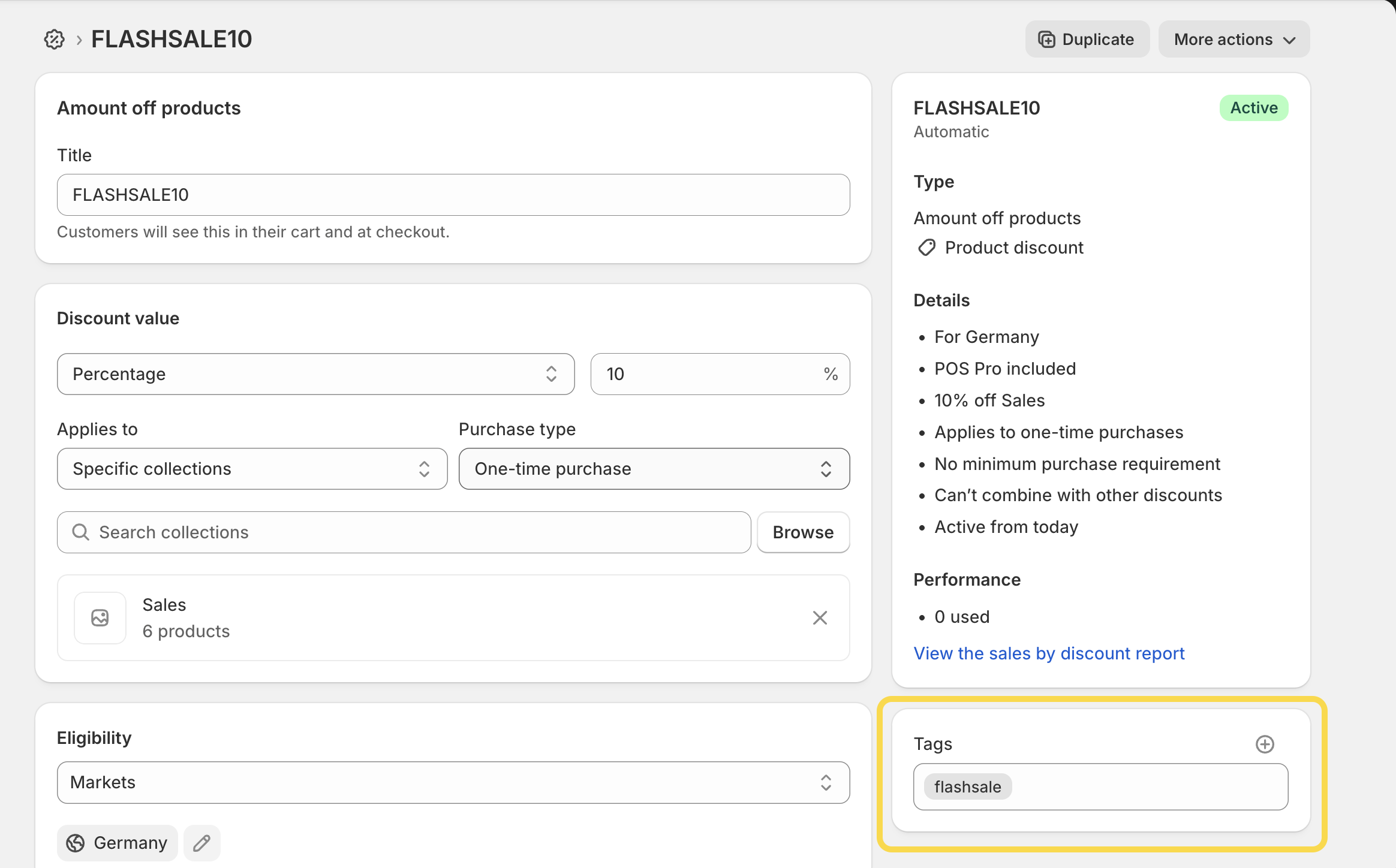
Shopify has also introduced support for discount tags, making it easier to organize and manage larger numbers of promotions.
You can now add tags to any discount and use them for:
- Grouping related campaigns
- Filtering discounts faster
- Improving internal organization
This is especially useful for stores running seasonal campaigns, influencer or affiliate discounts, B2B promotions, multiple regional offers, and else.
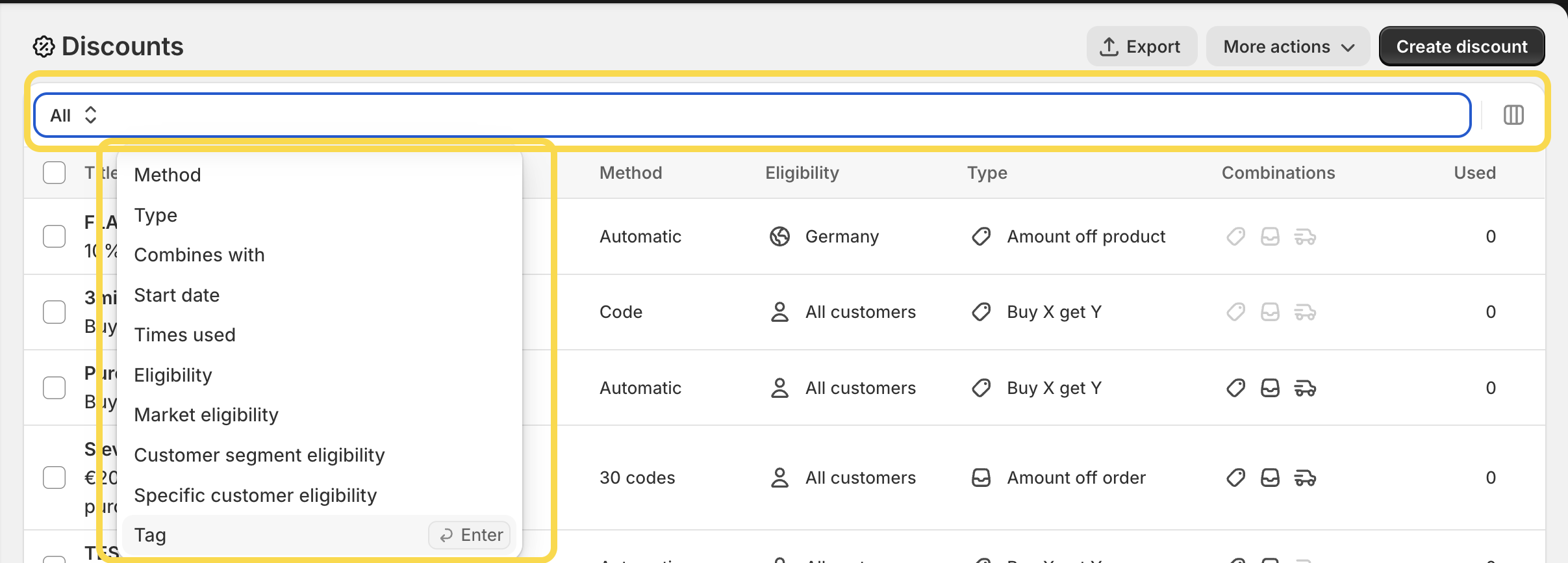
Tags can be added directly in the Discount Details page, and the Discounts overview now supports filtering and searching by tags as well.
And that’s it! If you need help setting up Shopify Markets, discounts, or more advanced promotional strategies, let us know — we’re happy to help.